
Direct Answer: A hardware wallet (such as Ledger M-Score 7.8 or Trezor M-Score 8.9) is significantly safer for long-term storage because it keeps your private keys completely offline, isolated from remote malware. A browser extension like MetaMask M-Score 8.2 is an internet-connected hot wallet—ideal for fast daily DeFi interactions, but far more exposed to phishing links and malicious smart-contract approvals. The optimal setup is combining both: a hardware device for core savings and a browser extension for small daily spending balances.
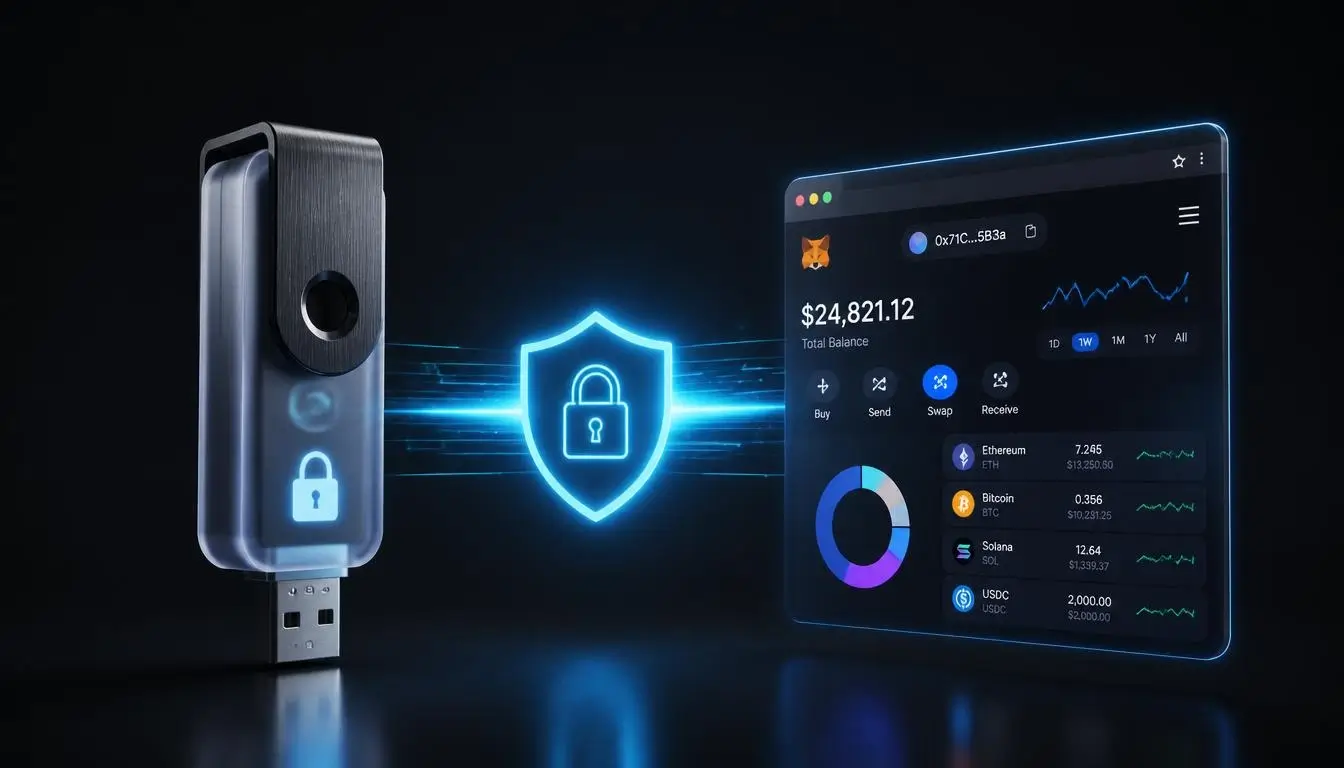
The Core Difference: Cold vs. Hot Storage
To choose the right setup, you need to look at where your cryptographic private keys live and how transactions are signed. Whoever controls your private keys controls your assets permanently.
- Hardware Wallet (Cold Storage): A dedicated physical device equipped with an isolated Secure Element chip. Your private keys are generated inside the device and never touch an internet-connected computer. Even if your PC is infected with spyware, attackers cannot extract the keys or sign a transfer without physical button confirmation on the hardware screen.
- Browser Extension (Hot Storage): Software installed inside Chrome, Brave, or Firefox. Your encrypted keys sit on your computer’s local storage and unlock in memory whenever you enter your password. Because the host device is online, it remains exposed to clipboard hijackers, malicious extensions, and fake signature prompts.
Quick Comparison: Hardware vs. Extension
| Feature | Hardware Wallet (Cold) | Browser Extension (Hot) |
|---|---|---|
| Key Storage | Offline Secure Element chip | Encrypted locally on internet-connected PC |
| Security Level | Very High (malware-isolated) | Moderate (vulnerable to host malware & phishing) |
| Best For | Long-term savings & high-value portfolios | Daily DeFi swaps, NFTs & small spending funds |
| Cost | ~$49 – $279 (one-time hardware cost) | Free |
| Primary Attack Vector | Supply-chain tampering, physical seed theft, blind signing | Phishing drainers, fake extensions, keyloggers |
Security Reality Check: 2026 Threat Lessons
Even market-leading wallets face evolving attack vectors. Understanding confirmed 2026 security incidents helps you avoid the most common operational mistakes:
- Supply-Chain Tampering (Southeast Asia Reseller Incident, 2026): On-chain investigators linked roughly $86M–$103M in losses across 500+ addresses to hardware devices sold through an unauthorized regional reseller channel (CryptoBilis) that contained modified hardware implants designed to capture seed phrases during setup. Takeaway: Order hardware wallets exclusively from official manufacturer stores, verify tamper-evident seals, and always generate a fresh seed phrase directly on the device.
- Infrastructure & Phishing Campaigns (September 2026): Following a late-September infrastructure incident where MetaMask preemptively exited affected staking validators (with zero user wallet funds compromised), scammers launched targeted phishing campaigns using fake “2FA security upgrade” pop-ups to harvest Secret Recovery Phrases. Takeaway: No legitimate wallet will ever ask you to type your 12- or 24-word recovery phrase into a browser form or email link.
When to Use a Browser Extension
Browser extensions are the primary interface for Web3—essential for interacting with DEXs like Hyperliquid M-Score 8.4, lending markets, and multi-chain dApps. Because frequent smart-contract interactions expose you to malicious token-approval requests, treat an extension wallet like a physical cash wallet: keep only the funds you actively use for daily transactions.

The world's leading non-custodial Web3 wallet available as a browser extension and mobile application. Provides secure storage, seamless transfers, and instant token swaps across Ethereum, BNB Chain, Polygon, Arbitrum, and other EVM-compatible ecosystems.
When to Use a Hardware Wallet
Once your crypto holdings exceed an amount you would feel comfortable carrying in cash, moving to cold storage is essential. Hardware devices require physical verification of recipient addresses and amounts on a trusted screen before any transaction leaves your wallet.
Pioneering open-source hardware wallet founded in 2013 by SatoshiLabs, enabling borderless self-custody across Asia, Latin America, and global markets. Features audited firmware, EAL6+ Secure Element chips in Safe 3 and Safe 5 models, and full air-gapped sovereignty without KYC.

The global industry standard for hardware cryptocurrency wallets. Provides maximum cold storage security for thousands of digital assets, NFTs, and tokens, managed via the secure Ledger Live application with integrated non-custodial staking and web3 swaps.
Live M-Score Comparison
Compare our top-rated self-custody wallets side by side based on our 4-pillar security, cost, and usability audit:
| Platform | Trezor | Ledger | MetaMask |
|---|---|---|---|
| M-Score | 8.9 / 10 ★ Leader | 7.8 / 10 | 8.2 / 10 |
| Focus | HARDWARE WALLET / OPEN-SOURCE | Crypto Wallets / Web3 | WALLET / WEB3 / DEFI |
| Highlights | Pioneering open-source hardware wallet founded in 2013 by SatoshiLabs, enabling borderless self-custody across Asia, Latin America, and global markets. Features audited firmware, EAL6+ Secure Element chips in Safe 3 and Safe 5 models, and full air-gapped sovereignty without KYC. | The global industry standard for hardware cryptocurrency wallets. Provides maximum cold storage security for thousands of digital assets, NFTs, and tokens, managed via the secure Ledger Live application with integrated non-custodial staking and web3 swaps. | The world's leading non-custodial Web3 wallet available as a browser extension and mobile application. Provides secure storage, seamless transfers, and instant token swaps across Ethereum, BNB Chain, Polygon, Arbitrum, and other EVM-compatible ecosystems. |
| Audit | Read Full Audit → | Read Full Audit → | Read Full Audit → |
Frequently Asked Questions
Can I connect my hardware wallet to MetaMask?
Yes—and this hybrid setup gives you the best of both worlds. You can connect a Trezor M-Score 8.9 or Ledger M-Score 7.8 to MetaMask M-Score 8.2 via USB or Bluetooth, letting you use MetaMask’s familiar Web3 interface while keeping your private keys locked offline inside the hardware chip.
What happens if my hardware wallet breaks or gets lost?
Your crypto is stored on the blockchain, not inside the physical device. As long as you safeguarded your 12- or 24-word recovery seed phrase (or SLIP39 Shamir shares) offline, you can buy a replacement device—or import the phrase into any BIP39-compatible wallet—and restore 100% of your funds immediately.
Is a browser extension safe if I use a strong password?
A strong password only encrypts the wallet file locally on your browser. It cannot protect you if your computer is infected with info-stealer malware or if you sign a malicious smart-contract approval on a spoofed phishing site.
Conclusion
Browser extensions and hardware wallets serve different roles in a secure crypto setup. Use a free extension like MetaMask for fast daily Web3 interactions with small balances, and store your core long-term holdings offline on an audited hardware wallet like Trezor or Ledger—or pair them together for maximum protection.
Disclaimer: This guide is for informational purposes only and does not constitute financial, investment, or security advice. Self-custody requires personal responsibility for safeguarding recovery phrases. Manulik operates as an independent directory—we do not accept paid placements or affiliate commissions to alter our rankings.
Top-Rated Tools Related to This Guide
Automatically matched from our independent directory based on 4-pillar M-Score ratings (no paid placements):